Share Files Securely: Temporary Links with Expiry (Easy!)
Do you assume that once you send a file, it's gone from your control? Think again. Temporary, expiring links give you back control over who sees your files and for how long.
Background: Why This Matters More Than Ever
In a world saturated with data, every file we share — photos, contracts, medical records, or financial statements — leaves a digital footprint that can be copied, forwarded, or exposed long after you intended. Temporary file sharing with expiry dramatically reduces that risk by limiting how long a file can be accessed and who can access it.
The Problem Space: Traditional File Sharing’s Pitfalls
- Permanent access: Email attachments and standard cloud links often grant indefinite access.
- Lack of control: You typically can’t revoke access or track who opened the file and when.
- Security risks: Unencrypted files and intermediary storage increase the chance of exposure.
- Accidental exposure: Forwarding and misconfigurations can leak sensitive content.
Technical Deep Dive: How Temporary File Sharing with Expiry Works
Expiry Time and Mechanism
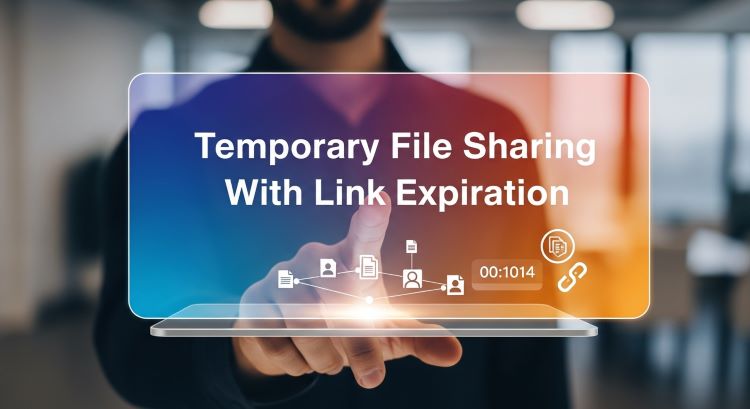
Temporary links rely on time-based access tokens and server-side checks. When you create a link, the system issues a unique token tied to an expiration timestamp. After expiry, the token is invalid and access is denied.
Encryption and Secure Storage
- Encryption at rest: Files stored on servers remain encrypted to protect against server compromise.
- End-to-end encryption (E2E): Files can be encrypted in the browser before upload so only sender and recipient can decrypt them.
- Dynamic keys: Encryption keys can be tied to tokens so that expired tokens yield unusable keys.
Authentication and Access Control
Good implementations support recipient verification, access limits (e.g., number of downloads), and easy UIs for setting expiry. Some services don’t require recipients to create accounts, reducing friction while keeping things secure.
How to Do It — Step-by-Step (Practical)
Follow these simple steps to create a temporary, expiring file link with end-to-end or server-side encryption.
-
Prepare your file.
Confirm the file you want to share (document, image, video), and remove any extra metadata if necessary (EXIF, comments).
-
Choose encryption level.
Select End-to-End Encryption for maximum privacy (files encrypted in your browser), or Server-side AES-256 if you need larger uploads and simpler recovery.
-
Set expiry and access limits.
Decide an expiration (e.g., 10 minutes, 1 hour, 24 hours, 1 week) and optionally limit the number of downloads (1, 3, 5, 10).
-
Upload and generate link.
Upload the file to the service and copy the generated link, QR code, or 4-digit access code. If using E2E, make sure you also copy/save the encryption key or full link backup (we can’t recover keys for E2E shares).
-
Share securely and verify.
Send the link through a secure channel (e.g., an encrypted message, SMS to the correct number, or verified email). Confirm the recipient received it and can access the file within the expiry window.
Pro tip: When sharing highly sensitive content, pair expiry with a password and limit downloads to 1.
Practical Applications / Use Cases
- Sensitive documents: Temporarily share contracts, medical files, or financial statements.
- Private photos: Send photos to friends and family without permanent exposure.
- Temporary collaborator access: Give short-term access to contractors or reviewers.
- Secure communications: Send self-destructing files or messages for high privacy needs.
Frequently Asked Questions
How secure is temporary file sharing?
Security depends on the implementation. End-to-end encryption (files encrypted in your browser before upload) offers zero-knowledge privacy — the platform cannot decrypt your file. Server-side AES-256 protects files at rest on the server but requires trusting the service for key management.
How long do temporary links last?
You control expiry — typical options range from 10 minutes up to 1 week (or custom values). Links automatically expire when the time or download limit is reached.
Can I share files without an account?
Yes. Many platforms (including PrivatelyShare) support anonymous uploads for smaller files. Creating an account usually enables larger uploads and access logs.
What happens if I lose the encryption key?
For true E2E shares, losing the encryption key means permanent data loss — the service cannot recover your file. Always save the link and any key/backup securely (for example, in a password manager).
Can a recipient still download a file before expiry?
Yes — if they access the link before it expires and within the download limit. To reduce risk, set short expiries, require passwords, and limit downloads to one.
Is temporary file sharing better than email attachments?
Absolutely. Email attachments can remain in mail servers indefinitely and are often unencrypted. Temporary expiring links with encryption reduce long-term exposure and give you more control.
Conclusion: Reclaim Control of Your Data
Temporary file sharing with expiry is a practical, powerful way to protect privacy. By combining time-limited tokens, encryption, and sensible access controls, you can share confidently — and reduce the risk of long-term exposure. Choose security. Choose privacy. Choose PrivatelyShare.
Join thousands who trust PrivatelyShare to share files securely and with peace of mind.